Be the FIRST To Know
Staying on top of your account balances can be time consuming. Luckily, it is easy with First Financial online and mobile banking! It is simple to set up account balance and security alerts that matter to you. Alerts include, but are not limited to:
- Low balance account alerts
- External transfer notification
- New computer or browser registration
- Incorrect password attempts
- New user creation
For more ways to stay in total control of your accounts, visit our debit card controls page!
Setting Up Low Balance Alerts
To monitor your accounts and prevent overdrafts, you can create a custom alert that notifies you any time your available balance is below a specified amount. To begin receiving low balance alerts, login to online or mobile banking and use these easy steps to enroll:
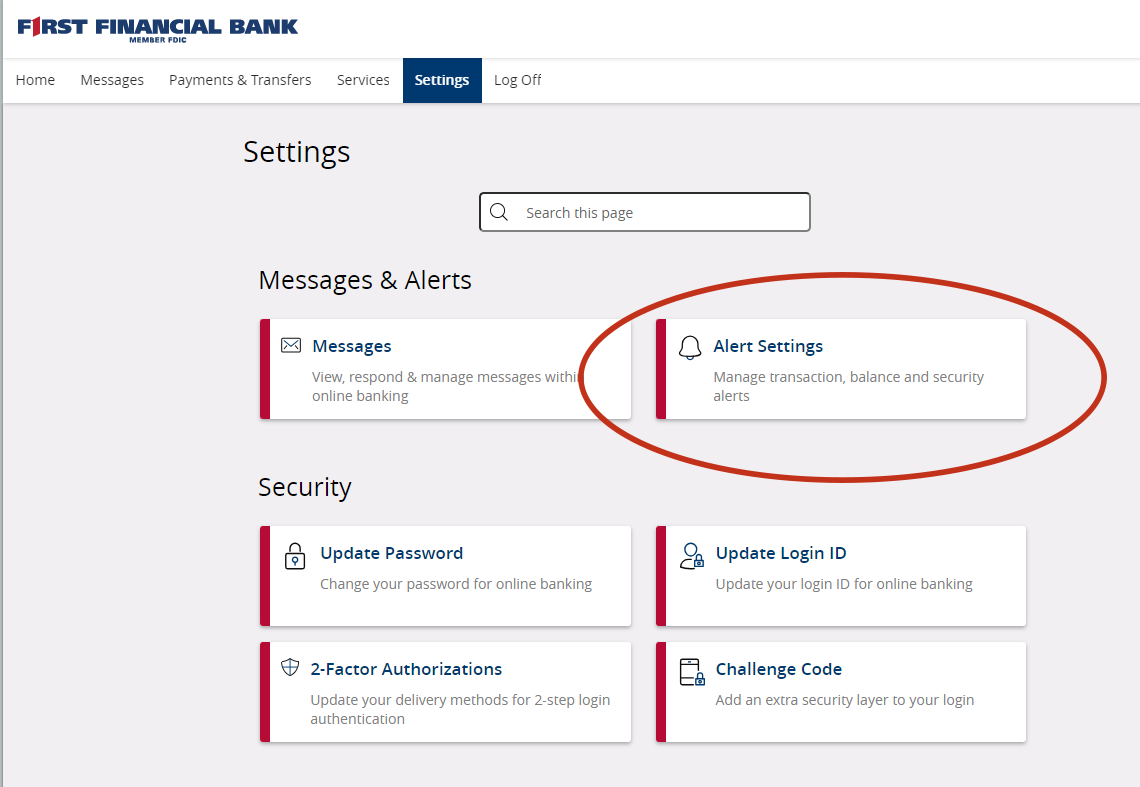
1. Select Settings > Alerts Settings from the main navigation
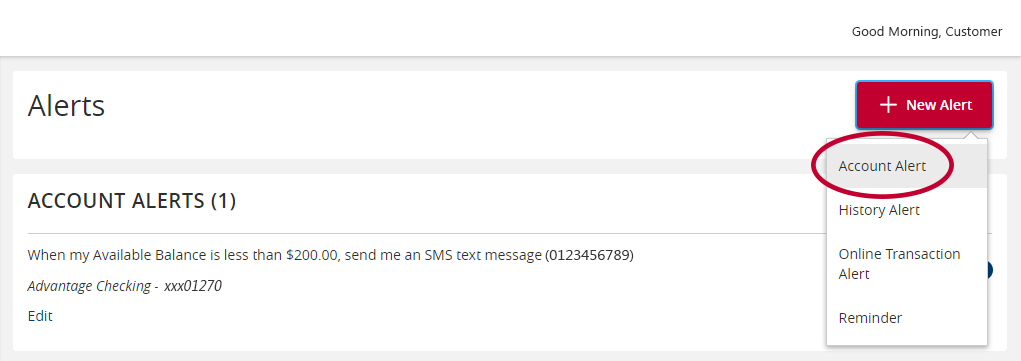
2. In the top right corner, select New Alert > Account Alert
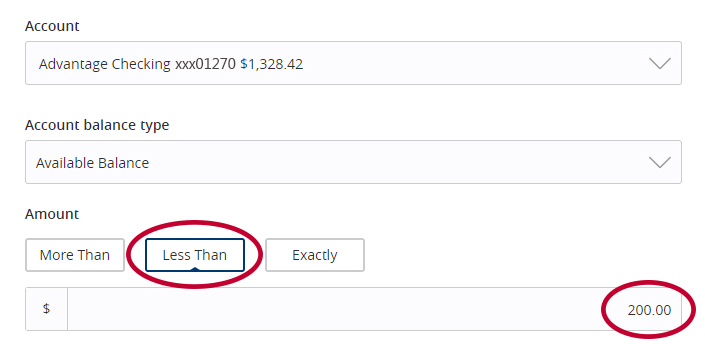
3. Choose the account you would like to receive alerts for and select Available Balance

4. Select Less Than and enter your desired amount
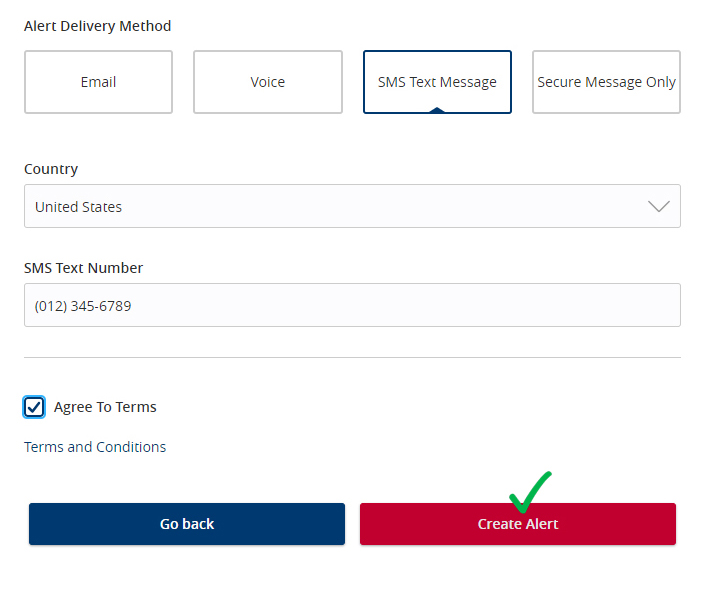
5. Confirm your preferred delivery method, accept terms and conditions, and click Create Alert